




Repairing LCD and LED TV Power Supply with the ES-93 PWM Module
Repairing LCD and LED TV Power Supply with the ES-93 PWM Module
If you’re dealing with a faulty power supply in an LCD or LED TV, the ES-93 PWM module can be an excellent solution. This powerful module is designed for switch-mode power supplies (SMPS) up to 200W, making it suitable for TVs ranging from 14" to 60". In this guide, we'll walk you through the installation and connection process to ensure you can effectively use the ES-93 PWM module in your repair work.
Why Choose the ES-93 PWM Module?
The ES-93 PWM module is built to offer powerful performance and versatility. It replaces faulty components in the power supply of LCD and LED TVs, helping restore functionality. Here’s a step-by-step guide to install and connect the module correctly.
Installation Instructions
Before beginning the installation, make sure to take the necessary safety precautions, such as unplugging the TV and discharging any capacitors.
1. Remove the Faulty Components:
- First, remove the faulty Field-Effect Transistor (FET) and Pulse-Width Modulation (PWM) controller IC from the power supply unit (PSU).
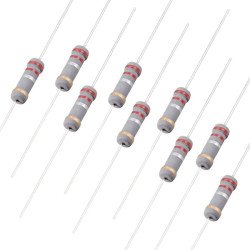
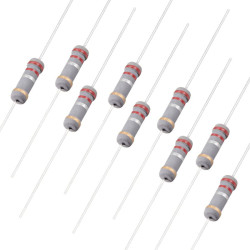
- Check the Ground to Source resistor, which should have a resistance value between 0.15-0.330 ohms and a power rating of 2W. If this resistor is faulty, replace it. Do not bypass (jump) this resistor as it is critical for the circuit’s operation.
2. Install the New FET:
- Install a new FET that matches the specifications of the old one. Ensure the Gate pin is not connected to the PSU at this stage.
Connection Guide
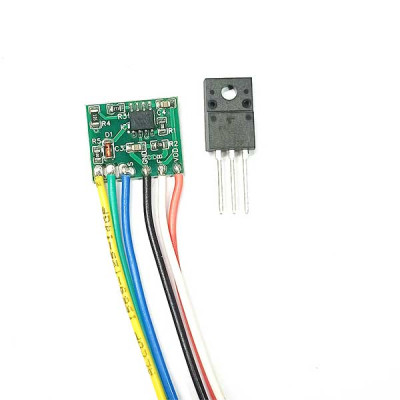
Once the faulty components have been removed and the new FET installed, you can begin connecting the ES-93 PWM module. Here’s a detailed connection guide for each wire:
Yellow Wire (Gate): Connect this wire to the Gate pin (Pin No. 1) of the MOSFET.
Blue Wire (Source): Connect this wire to the Source pin (Pin No. 3) of the MOSFET.
Black Wire (Ground): Connect the Black wire to the negative (-Ve) terminal of the mains filter.
Red Wire (Vdd): Connect the Red wire to the auxiliary power supply (Vdd) with a voltage range of 9-18V.
White Wire (Feedback): Connect the White wire to Pin No. 4 of the optocoupler. This is the feedback connection that helps regulate the power supply.
Green Wire (+300V): Connect the Green wire to the positive (+Ve) terminal of the mains filter, which typically has a voltage of around 300V.
Testing the Installation
After making all the connections, double-check to ensure everything is securely and correctly connected. Reconnect the TV to the power source and turn it on. If the ES-93 PWM module and the newly installed components are functioning correctly, the TV should power up without issues.
Troubleshooting Tips
- No Power: If the TV does not power on, recheck all connections, particularly the auxiliary supply (Vdd) and the Gate connection of the MOSFET.
- Intermittent Power: Ensure the feedback (FB) connection to the optocoupler is secure and that the resistor values are correct.
- Overheating: Verify that the new FET matches the specifications of the original and that the ground connections are properly made.
Conclusion
The ES-93 PWM module is a powerful and versatile tool for repairing LCD and LED TV power supplies. By following the installation and connection instructions detailed above, you can effectively restore the functionality of TVs ranging from 14" to 60". Always ensure you adhere to safety precautions when working with high-voltage components and double-check your connections to avoid any issues. With the ES-93 PWM module, you can bring many "dead" TVs back to life, saving both money and reducing electronic waste.
Leave a Comment